Your sales run on Priority. Now you can also see who is buying, who is profitable and who is late.
One data warehouse on top of Priority, with dashboards for sales, collections and profitability. One current picture, while there is still time to respond.
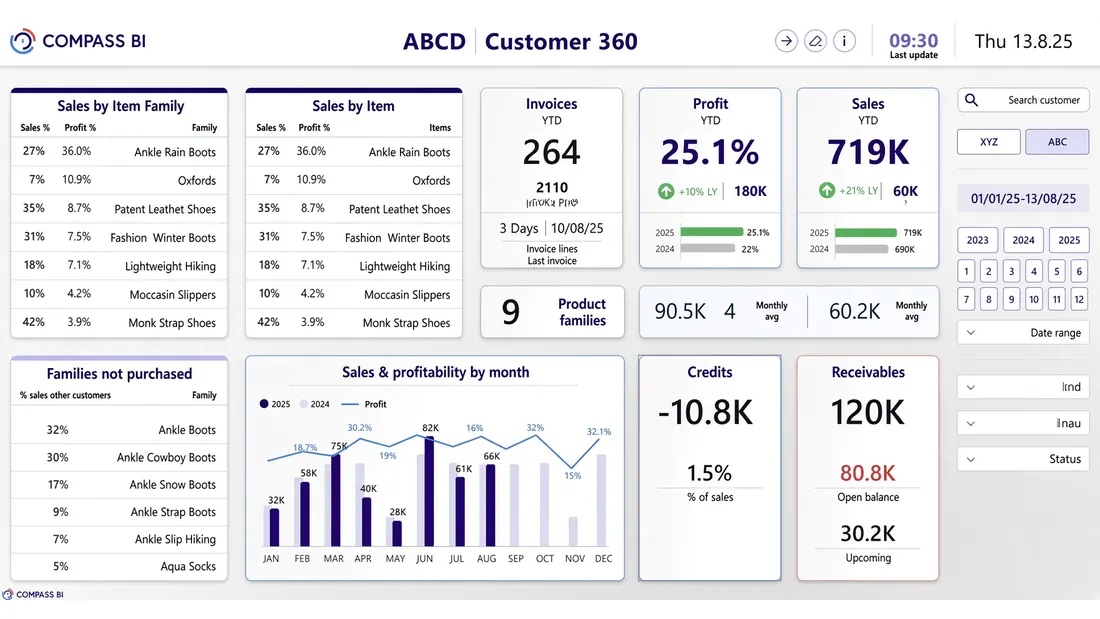
For sales and finance managers on Priority
If your orders, invoices and collections run on Priority, the numbers are already there. What is left is seeing them: what was sold and to whom, what it earned, and who has not paid yet - without waiting for the month-end report.
Sales & Collections
The problem
You know how much was sold, but not always who is genuinely profitable and who pays on time. Sales and collections often live in separate reports - so the business picture is partial.
The solution
One module that joins what was sold, what it earned and who has paid into a single picture, for every customer and every salesperson, against the comparable period. The data comes from Priority, and metrics are calculated once in the data warehouse, so the numbers stay consistent across every report.
What you see
Sales and profit against last year · open and future debt · credits · sales by item and family · target attainment per salesperson
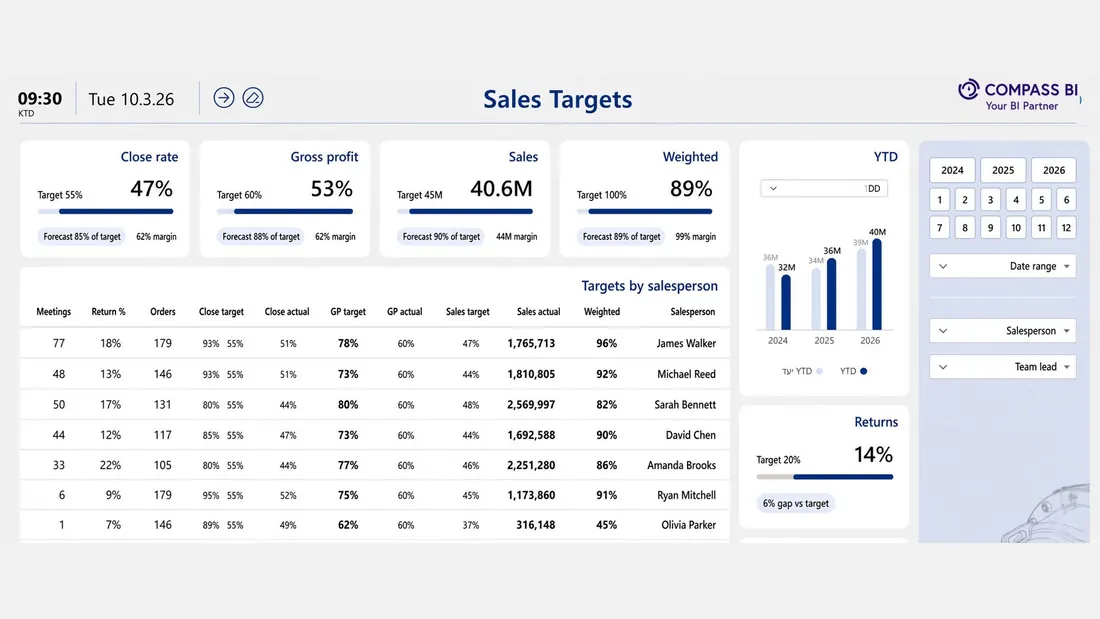
The data comes from Priority, and metrics are calculated once in the data warehouse, so the numbers stay consistent across every report.
-
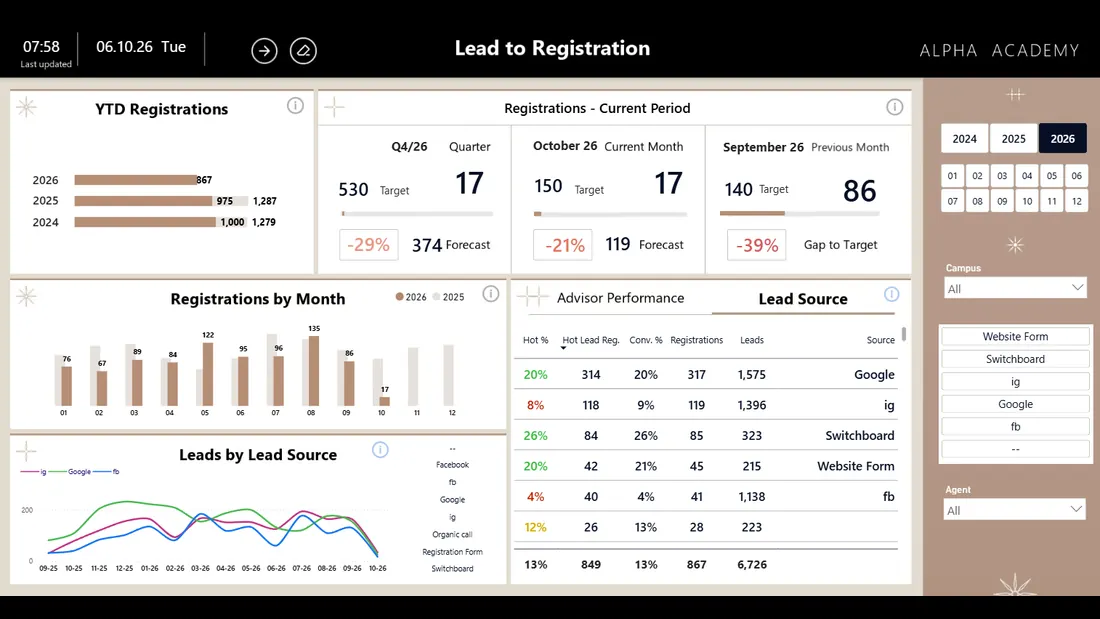
Lead Tracking
Where inquiries come from, how they are processed and which source generates real revenue.
What you seeRegistrations against target · leads by source over time · advisor performance against target · comparison with previous years
-
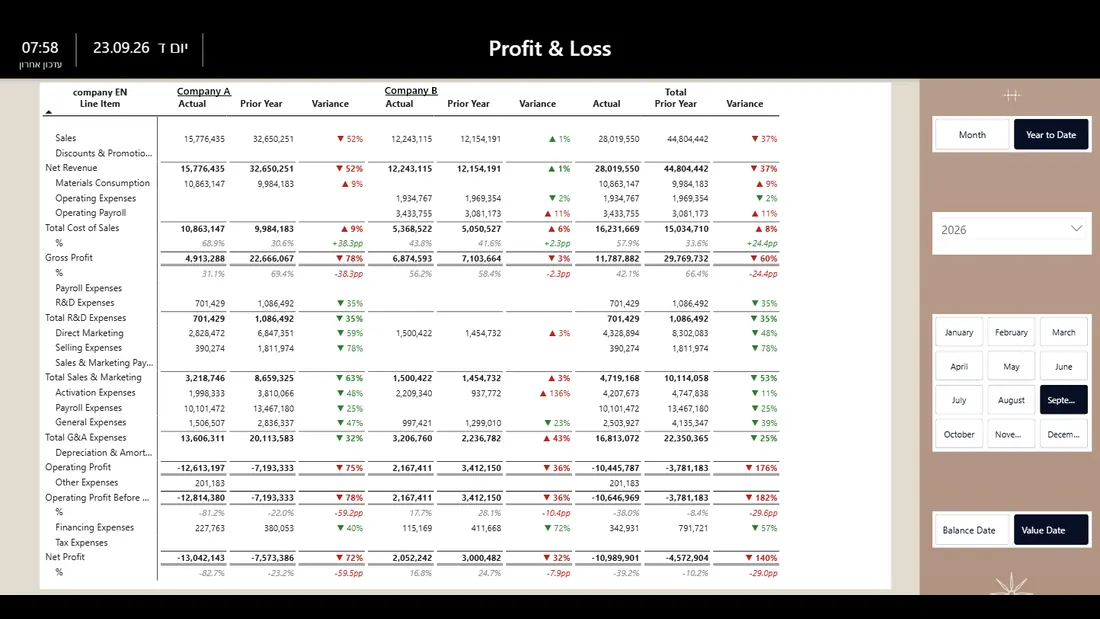
P&L
Profitability by profit center, by company and for the group as a whole - in one view, without stitching reports in Excel.
What you seeA P&L for every profit center, company and the group · in one structure · comparison with the same period and with budget · a path from a report line to the entries behind it
-
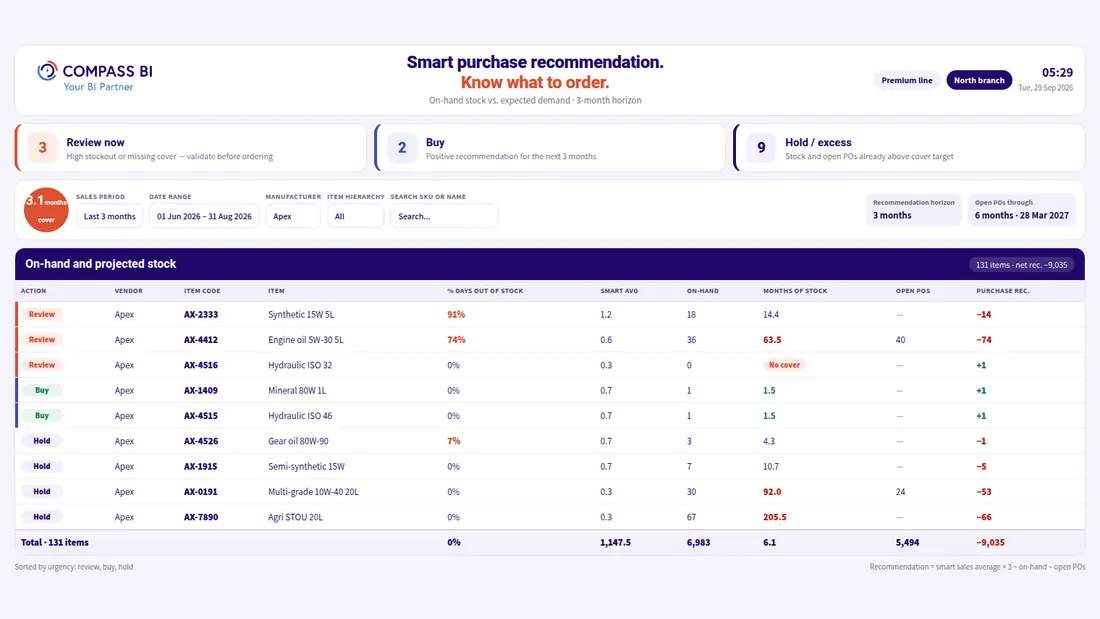
Inventory & Procurement Forecasting
What is missing, what is stuck on the shelf and what needs to be ordered this month.
What you seeThree counters: to check, to order, surplus · items by urgency · a purchase recommendation per SKU · filters by manufacturer, hierarchy and horizon
Connect in one day. Live within weeks.
- Connect to Priority. No changes to your ERP processes.
- Choose a first module. Usually sales and collections, or lead tracking, whichever is more pressing.
- Go live. Dashboards on one data warehouse, with consistent numbers across every report.
Frequently asked questions
What does the sales and collections module show?
Sales and profit against last year, open and future debt, credits, sales by item and family, and target attainment per salesperson.
How do you connect, and how long does it take?
You connect to Priority without changing any processes in the ERP. You connect in one day and go live within weeks. You start with a first module: usually sales and collections, or lead tracking, whichever is more pressing.
Who is it for?
For sales and finance managers on Priority. If your orders, invoices and collections run on Priority, the numbers are already there, and what is left is seeing what was sold and to whom, what it earned, and who has not paid yet.
How do we start?
Leave your details in the form and we'll get back to you within one business day. You can also start by seeing what it looks like.
- An official Priority technology partner since 2021.
- 20+ years of experience.
- Dozens of managers make decisions through us.
We'll Get Back to You Within One Business Day
We've got your inquiry
We'll come back to you within one business day. If it's urgent, here are the fast routes:
That didn't send
Something went wrong on the way to us and the inquiry was not sent. You can try again, and reach us directly: